Skip to content

Echo: The design system your AI agent builds with

ECHOWATCHINGSESSION 01 
skip
pause
snooze

An open-source UI library for AI agents, and the check that keeps every screen on-brand and accessible.

For developers, designers and AI builders

Open the piece that’s you and see what Echo gives you: two commands, a style from your mood board, or Echo in ChatGPT.

/ For developers

You get the source code

The CLI copies each component into your project, so you can read it and change it. Theming, sound and motion come from one small package, echo-ui-core.

  • React 18 and 19, TypeScript, Next.js and Vite
  • Built on Base UI: focus, keyboard and ARIA are handled
  • Safe to render on the server
Your terminal
· vite app, npm, components in src/components/echo…· Added echo.json, echo-lock.json, src/components/echo/echo-theme.css, … the check hook and the Stop gate in .claude/settings.json, ……Then: npx echo-ui-cli add hardware-button…· hardware-button 0.3.0  new  src/components/echo/hardware-button/hardware-button.css  new  src/components/echo/hardware-button/hardware-button.tsx  new  src/components/echo/hardware-button/treatment.ts  new  src/components/echo/hardware-button/index.ts…
/ For designers

Your mood board becomes a style

Share a mood board and Echo reads it into a whole style. One colour themes every component with text readable at WCAG AA, and Echo tests what your agent builds the way you'd review it.

  • Colours, type, corners and finish, read from your board
  • Alignment, depth, corners and icons tested, then WCAG A and AA
  • A report with a crop of every finding
Echo’s tests
/  alignment  div.echo-hw "Choose Pro": 3 cards side by side have their actions at 2 heights (162px, 180px, 162px from the top of the row). Line them up at the bottom of their cards: put each card's actions last, at `margin-top: auto` (an Echo Card's footer is). Change only the cards' layout, not the actions, the text or the colours.1 to fix on 1 of 1 page. Each line says what to change; change that and nothing else.

/ Building with AI

Echo is in ChatGPT

Add Echo UI from ChatGPT's plugin directory and share a mood board. It makes your style, picks the one that fits your product, and checks the code it writes. Then one command hands it all to Claude Code, Codex or Cursor.

  • In ChatGPT's plugin directory, nothing to download
  • Claude and Codex install the same plugin from the site
  • In Claude Code, a check on every file it saves and Echo's tests before it stops
  1. Add Echo in ChatGPT

    Or in your code tool, once:

    Claude and Codex take the same plugin from Echo's plugin page. Any other tool with no terminal connects to Echo's server: https://mcp.echo-ui.com/mcp

  2. Ask for what you want

    “Build me a radio with Echo: a Tuner for the station and a Knob for the volume.”
  3. It asks Echo, writes the code, and checks it

    which parthow it's usedthe codethe check

One design system. Endless styles.

Your mood boards become styles, and your AI builds each product in one.

  1. Add Echo to your AI

    In a chat
    You: Which @Echo UI Echo UI component should I use for a settings toggle?
    Used Echo UI
    Reply:

    Use Switch (echo-switch) for an on/off setting that changes immediately, such as notifications or sound.

    Prompt

    In your code
    · vite app, npm, components in src/components/echo…· Added echo.json, echo-lock.json, src/components/echo/echo-theme.css, … the check hook and the Stop gate in .claude/settings.json, the echo-ui skill, the echo-design-eye skill, the echo-style-fit skill.Three things left, and they're yours to paste: …Then: npx echo-ui-cli add hardware-button

    Start in a chat, finish in your code. The chat ends with the commands for your code tool.

  2. Make a style with AI

    Your conversation

    Codexwith the Echo UI plugin
    You: @Echo UI Here's my mood board, analyze it
    Used Echo UIdesign-eye
    Reply:

    … The strongest shared idea is precision with one expressive interruption …

    Questions3 of 3

    For the reusable style, I suggest a pale ground with black ink, keeping colour in imagery until a product accent is chosen. … Which direction do you want?

    Neutral controls; colour in imageryBlue accentGreen accent

    I suggest reading the blurred nature and pigment references as a separate companion style, because their softness differs from the technical layouts. How should they contribute?

    Separate companion styleImagery within the technical styleMake the organic style dominant

    The board supports both outlined technical controls and shaded physical controls. I suggest drawn outlines as the main Echo treatment, based on the diagrams, pills, and spec sheets. Which should lead?

    Drawn technical controlsMolded physical controls
    Used Echo UI
    Reply:

    I saved two illustrated foundations with sampled colours, design rules and Echo style files.

    • Mood board analysisDocument
    • Mood board foundationsZIP archive

    Prompt

    Your style

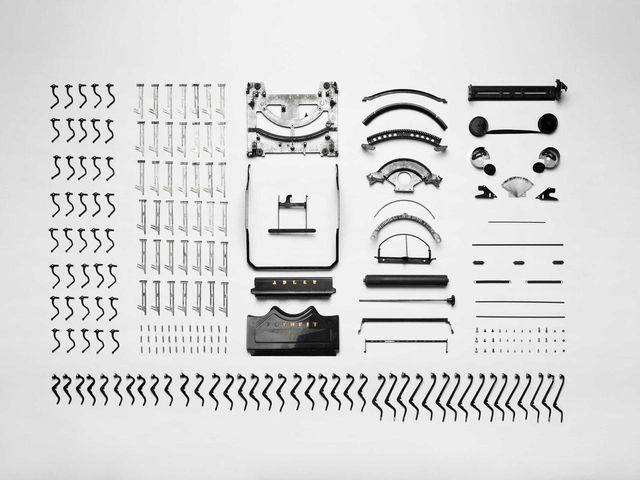
    • Small metal parts laid out in rows on white
    • Blades of grass, sharp at the front, the trees behind out of focus
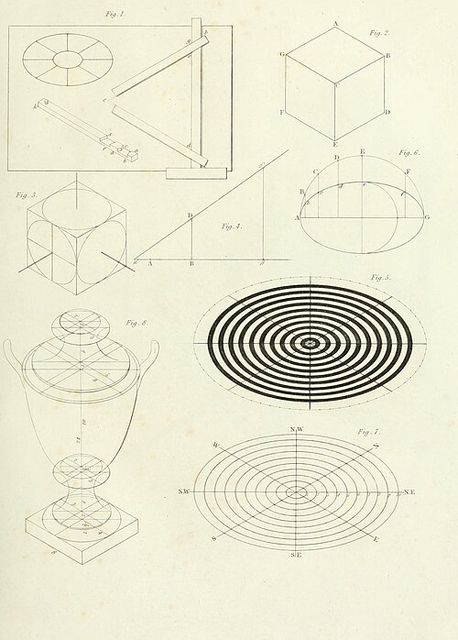
    • A plate of geometric line drawings: cubes, ellipses and concentric rings
    • Out-of-focus lights in blue, pink and gold
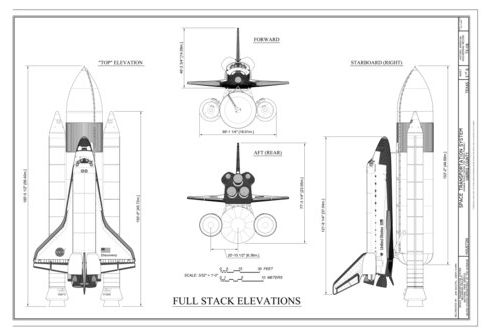
    • Line elevations of the Space Shuttle launch stack, side by side
    • A silver film camera, close up
    • A leaf with a drop of water at its tip, on blurred green
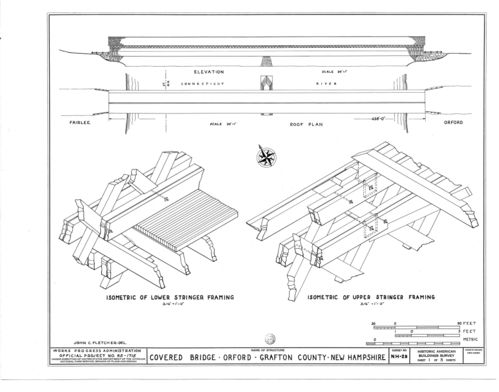
    • Isometric drawings of a covered bridge's framing
    • A finger on the faders of a mixing desk
    • A soft horizon, pink cloud fading into blue
    • A black and white clock face, close up
    • Green wheat in shallow focus
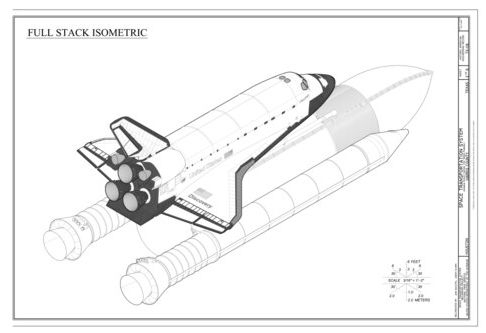
    • An isometric line drawing of the Space Shuttle launch stack
    • A path between trees in a pale pink mist
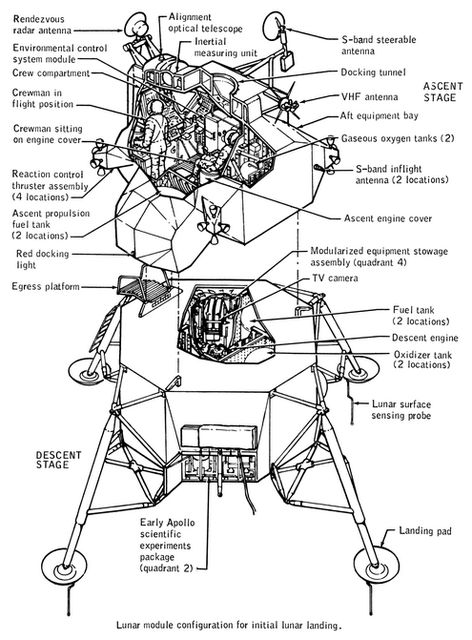
    • A labelled line drawing of the lunar module
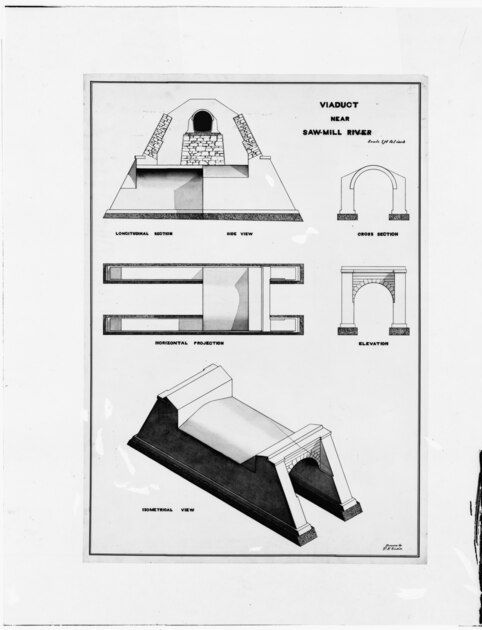
    • Isometric and section drawings of an aqueduct
    A mood board, 16 images. Credits at the foot of the page.

    Pigment Window

    Ink Instrument

    • #F3F3F3
    • #EBEBEB
    • #1C1C1C
    • #0495FB
  3. Pick it, and try it on

    Your conversation

    Codexwith the Echo UI plugin
    You: Which style fits a budgeting app for students? Compare the one we just made with Echo's. @Echo UI
    Used Echo UIstyle-fitfit_styles
    Reply:

    Echo’s ranking

    1. Ink Instrumentyours
    2. EchoEcho’s

    I’d choose Ink Instrument for the app, with friendlier language and the available budget as its main visual focus. It preserves your neutral, drawn direction while giving amounts and transactions a clear hierarchy.

    • Student budgeting directionDocument

    Prompt

    Try it on

    This page is in Echo’s own look.

    • HardwareButton
    • Switch
    • Slider
    • DayWeekMonthYear
      Segmented
    • Knob

    Whatever you wear, every part keeps its keyboard, and its text stays readable at

    WCAG 2.2 AA

  4. Build with Echo

    Your conversation

    Codexwith the Echo UI plugin
    You: build a screen with @Echo UI using this style
    Used Echo UI
    Reply:
    • Echo is now installed with the actual Ink Instrument theme.
    • The first version builds successfully and passes Echo’s source check.
    • Echo’s desktop and phone checks both passed.

    Built Pocket with real Echo UI components in Ink Instrument.

    • Student budget sourceZIP archive
    • Student budget, desktopImage

    Prompt

    Your screen

    Next product, next style, same base. The workflow, step by step

  5. On-brand and WCAG 2.2 AA, checked

    What the AI made

    src/App.tsx
    export function SaveBar() {  return <button style={{ background: '#2563eb' }}>Save</button>;}
    src/App.tsx
    import { HardwareButton } from "@/components/echo/hardware-button"; export function SaveBar() {  return <button style={{ background: '#2563eb' }}>Save</button>;  return <HardwareButton variant="primary">Save</HardwareButton>;}

    Your conversation

    Codexwith the Echo UI plugin
    You: @Echo UI check this screen
    Used Echo UIcheck_code
    Reply:

    2 problems, each with the Echo way to fix it:

    1. colour #2563eb is a colour written by hand: use a role from your theme; the nearest is var(--echo-primary-cap-top).
    2. lookalike <button> where Echo has HardwareButton: use HardwareButton (npx echo-ui-cli add hardware-button, then npx echo-ui-cli docs hardware-button).
    You: Fix them
    Used Echo UIcheck_code
    Reply:

    No problems: nothing here goes against Echo's rules.

    Prompt

Motion buttons

Turn it on to hear each pressEvery motion component
  1. FollowMorphThe button you pressed flows into the next ones: Following, and Notify me beside it.

  2. ShareActionFanLink, Email and Embed bud out of the button, and fold back into it.

  3. Add to cartAddToBagA drop leaves the button and lands in the count, so you see what you added.

  4. Magnetic dockMagneticThe buttons lean toward your hand before you touch them. The nearest leans most.

  5. SaveSaveButtonThe button becomes its own progress, then its answer, then itself again.

  6. Hold to deleteHoldButtonHold it and colour pours in under your finger. Let go early and it drains away.

  7. Voice noteVoiceNoteThe microphone opens into Stop and your take. Stop, and the take becomes a note that fills as it plays.

  8. Rolling numbersuseRollChange the floor and every digit rolls through the numbers in between, like a lift's display.

Dials, tiles and flip boards

TunerTunerPick any number on a dial, like tuning a radio.
Jog wheelJogWheelA heavy wheel with no ends: slow clicks for precision, a spin to travel.
Split flapSplitFlapA number that flips like a train station board.
Date tileDateTileA day on a desk calendar's page, turning over when the date moves.
Pull cordPullCordAn on and off switch you pull, like a lamp cord.
Status islandStatusIslandWork running in the background, in one small slab that opens when it needs you.

Or a whole screen

The same parts, put together into a working app.

Open Console or Chat in full.

Echo UI is now in ChatGPT

Make your style in the chat.

Build with it in your code.

Wherever your agent builds.

In ChatGPT’s plugins, in Claude, and in your terminal with one command. The same Echo in every one.

ChatGPT plugin

make your style in the chat

Claude plugin

install it from the docs

Skills

Design Eye, Style Fit, Echo UI

MCP server

any tool that connects

CLI

npx echo-ui-cli init

The check

hands back what drifts

Takes your

style's colour

  • ChatGPT plugin

    make your style in the chat

  • Claude plugin

    install it from the docs

  • Skills

    Design Eye, Style Fit, Echo UI

  • MCP server

    any tool that connects

  • CLI

    npx echo-ui-cli init

  • The check

    hands back what drifts

Takes your style's colour

30 products before I turn 30

A letter from Noor, who made Echo, and why it’s free.

Noor Mtir

Hi, I’m Noor. I’m a product designer and software engineer, and I’ve given myself until I turn 30 to launch 30 products of my own.

I want each one to have good design and motion, and none of them to look like the others. AI made the building fast. The design still took hours: finding a style, finding components my agent could restyle, then catching the agent drifting off the style as it built. Thirty times over, I’d run out of time before I ran out of ideas.

So I built the base first. Echo is one design system my AI agents build with: the same components, the same press, sound and motion underneath, and a different style on top for each product. Thirty products, thirty looks, one base.

I’m building all of them on Echo, so I’ll be fixing and growing it for a long time.

Noor

P.S. Echo is free, and I make it on my own. If it saves you time, you can support it below. If your company builds on Echo and wants to sponsor it, write to me at noor@nawwara.studio.

Support Echo

If Echo saves you time, your support pays for the next components, fixes and releases, so it stays free for everyone.

Everyone who supports Echo gets an Echo on Echo’s island, with their name and their links. You name yours right after paying.

No budget? Star Echo on GitHub, tell a friend who builds interfaces, or report a bug.